Create a Poll
Add your multiple-choice question and the answers.


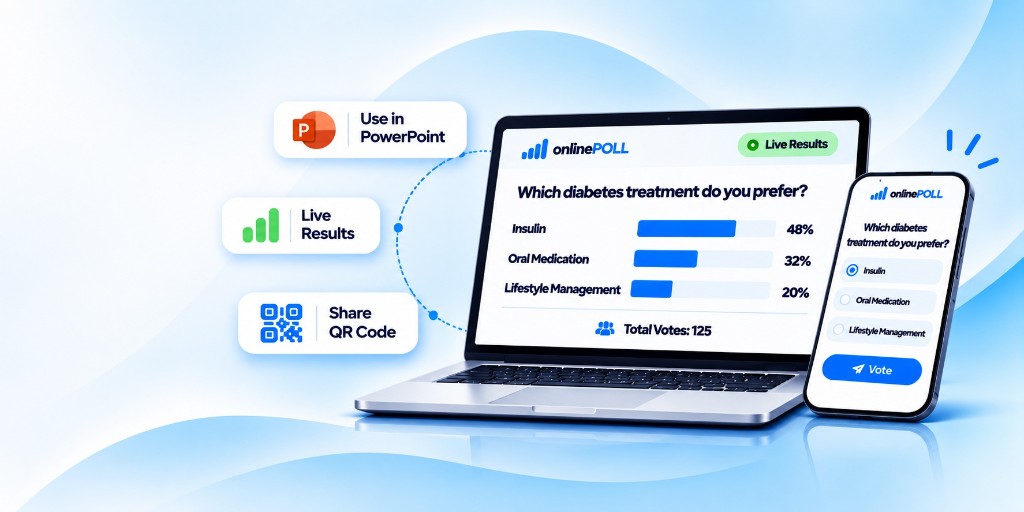
Create polls, share QR codes and get real-time results — all in one simple platform.
Add questions in minutes
Share instantly with attendees
Get real-time responses
Works with PowerPoint & other tools
Create a poll, share it with your audience, collect votes and see live results instantly.
Add your multiple-choice question and the answers.
Share a QR code or link via screen, email or messaging apps.
They scan the QR code or open the link and cast their votes instantly.
View real-time results on the web as votes come in.

Engage your audience, collect real-time feedback and make your presentations truly interactive.
PowerPoint ready
A flexible polling solution for education, corporate, public events and healthcare.

Make classes, training and workshops more interactive with live polls.

Boost participation in meetings, town halls and conferences with instant feedback.

Engage large or hybrid audiences at conferences, summits, exhibitions and live events.

Use live polls for CME sessions, patient education, awareness programs and health camps.
Powerful, easy to use and built for real-time audience engagement.
Add one question and the answer choices.
See responses instantly as the bars update.
Place the QR code on your slide.
Share a QR code or link. No app needed.
Open the poll, close it, and keep the results.
Download the votes as a CSV file.
Each presentation stays on your account.
Laptops, tablets and phones, in the room or online.
Choose the plan that fits your needs. Upgrade anytime as you grow.
Get started and try MyOnlinePoll
₹0 Forever free
Ideal for classes and small events
₹499/month
(or ₹4,990 /year) Save 17%
Perfect for conferences and larger events
₹1,499/month
(or ₹14,990 /year) Save 17%
For organizations, institutions and large-scale events
Custom Pricing
Find quick answers to common questions about MyOnlinePoll.
Still have doubts? Feel free to contact us — we're happy to help!
No. Participants scan the QR code or open the shared link and vote in the browser on a phone, tablet, or computer. The voting page does not show the results.
Yes. The live results page updates while votes come in. Participants only see the voting page.
Download the question QR as a PNG and place it on a slide. Results stay on their own live page.
Each presentation stays on your account. The voting link does not show the results, and only the owner can export them.
Each presentation has one multiple-choice question. Voters choose a single answer.
You can create a free account today. Starter, Professional, and Enterprise describe higher limits planned next. Choosing a plan on this page does not start a payment.
Have a question, need assistance, or want to learn more about MyOnlinePoll? We're here to help.
Reach out to our team for support, demos, or any queries about MyOnlinePoll.

Create your first poll in just a few clicks. No credit card required.